
CountScroll 数字滚动
介绍
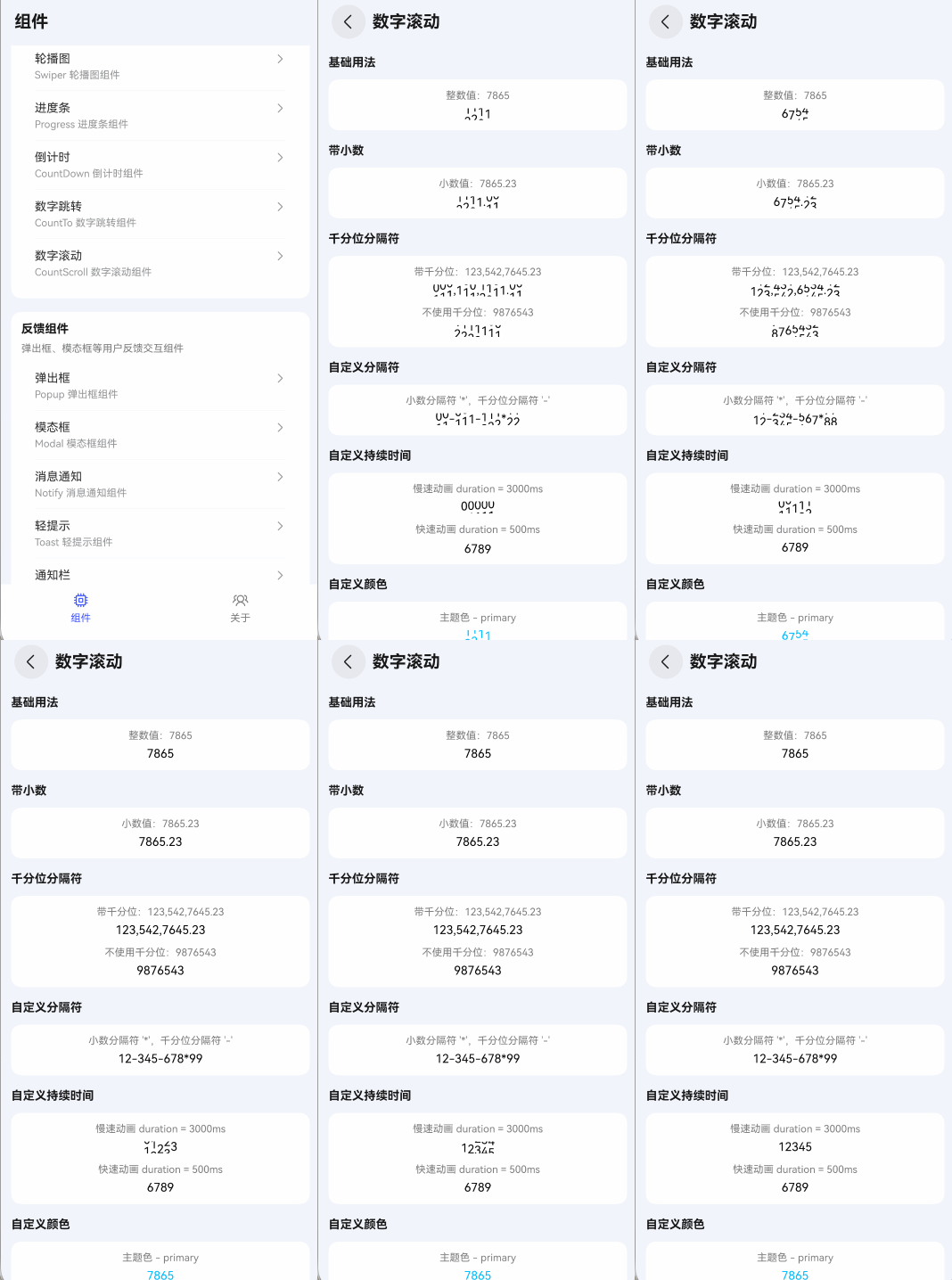
数字滚动组件,用于数字的变化展示。每位数字以垂直滚动动画切换,常用于数据面板、积分余额、统计数据等需要视觉吸引力的场景。支持小数、千分位分隔符、自定义分隔符、自定义动画时长、自定义颜色和字体大小。当数值变化时,每位数字会独立执行滚动动画过渡到新值。
引入
typescript
import { TnCountScroll } from "@tuniao/tn-ui";代码演示
基础用法
通过 value 属性设置要显示的数字字符串,组件会以垂直滚动动画展示每位数字。
点我查看代码
typescript
TnCountScroll({ value: "7865" });带小数
value 中包含小数点时,小数点作为分隔符直接显示(无动画),数字部分各自独立滚动。
点我查看代码
typescript
TnCountScroll({ value: "7865.23" });千分位分隔符
value 中包含逗号 , 时,逗号作为千分位分隔符直接显示。通过 thousandsSeparator 属性设置为空字符串可以禁用千分位识别。
点我查看代码
typescript
// 带千分位
TnCountScroll({ value: "123,542,7645.23" });

// 不使用千分位
TnCountScroll({
  value: "9876543",
  thousandsSeparator: ''
});
自定义分隔符
通过 decimalSeparator 属性自定义小数点分隔符,通过 thousandsSeparator 属性自定义千分位分隔符。分隔符字符在显示时不参与滚动动画。
点我查看代码
typescript
// 小数分隔符 '*',千分位分隔符 '-'
TnCountScroll({
  value: "12-345-678*99",
  decimalSeparator: '*',
  thousandsSeparator: '-'
});
自定义持续时间
通过 duration 属性设置动画持续时间,单位毫秒,默认 1500。
点我查看代码
typescript
// 慢速动画(3秒)
TnCountScroll({ value: "12345", duration: 3000 });

// 快速动画(0.5秒)
TnCountScroll({ value: "6789", duration: 500 });
自定义颜色
通过 textColor 属性设置文字颜色,支持主题色名称(如 "primary"、"danger"、"success")和自定义色值(如 "#01beff")。
点我查看代码
typescript
// 主题色
TnCountScroll({ value: "7865", textColor: "primary" });
TnCountScroll({ value: "7865", textColor: "danger" });
TnCountScroll({ value: "7865", textColor: "success" });

// 自定义 hex 色值
TnCountScroll({ value: "7865", textColor: "#01beff" });
自定义字体大小和字重
通过 fontSize 属性设置字体大小(单位 vp),通过 fontWeight 属性设置字重。不设置 fontSize 时使用主题默认字体大小。
点我查看代码
typescript
// 不同字体大小
TnCountScroll({ value: "7865", fontSize: 12 });
TnCountScroll({ value: "7865", fontSize: 20 });

// 大字体 + 粗体
TnCountScroll({
  value: "7865",
  fontSize: 30,
  fontWeight: FontWeight.Bold
});

// 大字体 + 粗体 + 主题色
TnCountScroll({
  value: "7865",
  fontSize: 30,
  fontWeight: FontWeight.Bold,
  textColor: "primary"
});
动态值变化
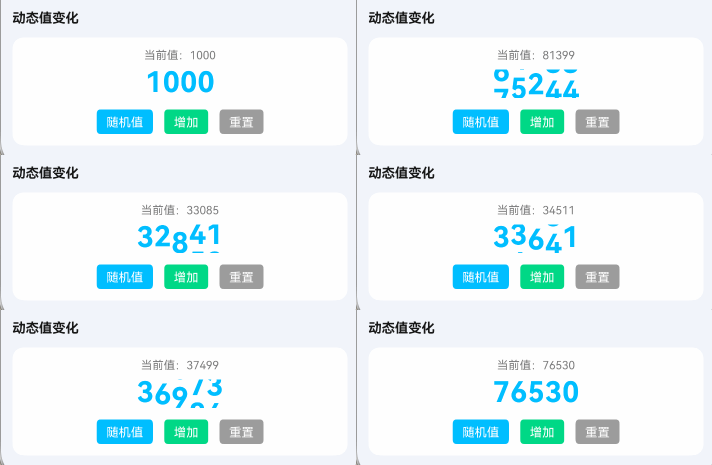
当 value 属性发生变化时,组件会自动检测变化并以滚动动画过渡到新值。每位数字独立滚动,分隔符保持静止。
点我查看代码
typescript
@ComponentV2
struct CountScrollDemo {
  @Local dynamicValue: string = "1000";
  @Local statusText: string = "当前值:1000";

  build() {
    Column({ space: 12 }) {
      Text(this.statusText);

      TnCountScroll({
        value: this.dynamicValue,
        textColor: "primary",
        fontSize: 30,
        fontWeight: FontWeight.Bold,
        thousandsSeparator: ''
      });

      Row({ space: 12 }) {
        TnButton({
          content: "随机值",
          btnSize: "sm",
          type: "primary",
          onBtnClick: () => {
            const newVal: number = Math.floor(Math.random() * 99999);
            this.dynamicValue = newVal.toString();
            this.statusText = `当前值:${this.dynamicValue}`;
          }
        });
        TnButton({
          content: "增加",
          btnSize: "sm",
          type: "success",
          onBtnClick: () => {
            const current: number = parseInt(this.dynamicValue, 10) || 0;
            const newVal: number = current + Math.floor(Math.random() * 1000) + 100;
            this.dynamicValue = newVal.toString();
            this.statusText = `当前值:${this.dynamicValue}`;
          }
        });
        TnButton({
          content: "重置",
          btnSize: "sm",
          type: "info",
          onBtnClick: () => {
            this.dynamicValue = "1000";
            this.statusText = "当前值:1000";
          }
        });
      }
    }
  }
}
API
Props
| 参数 | 说明 | 类型 | 默认值 |
|---|---|---|---|
| value | 显示的值,支持整数、小数和千分位分隔符 | string | '' |
| textColor | 文字颜色,支持主题色名称("primary" "success" "warning" "danger" "info")或自定义色值 | string | - |
| fontSize | 字体大小(vp),不设置时使用主题默认值 | number | 0 |
| fontWeight | 字重 | FontWeight | FontWeight.Normal |
| decimalSeparator | 小数点分隔符 | string | '.' |
| thousandsSeparator | 千分位分隔符,空字符串表示不使用千分位 | string | ',' |
| duration | 动画执行时间,单位毫秒 | number | 1500 |
主题色名称
textColor 支持以下主题色名称,使用时直接传入字符串即可:
| 名称 | 说明 |
|---|---|
"primary" | 主色 |
"success" | 成功色 |
"warning" | 警告色 |
"danger" | 危险色 |
"info" | 信息色 |