
Switch 开关
介绍
用于在两种状态之间切换的开关选择器,支持自定义值、颜色、文字、图标及多种形状。
引入
typescript
import { TnSwitch } from "@tuniao/tn-ui";代码演示
基础用法
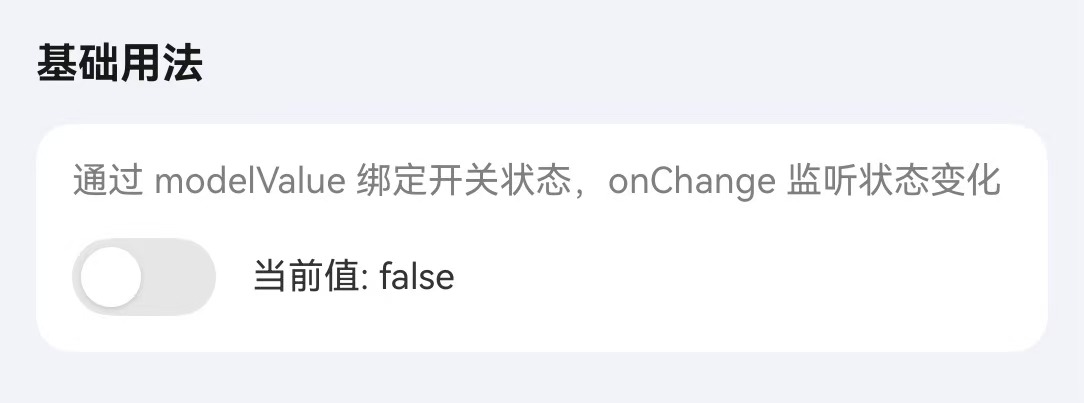
通过 modelValue 属性绑定开关的选中状态。
点我查看代码
typescript
@Local switchValue: boolean = false;

TnSwitch({
  modelValue: this.switchValue,
  onChange: (value: TnSwitchValueType) => {
    this.switchValue = value as boolean;
  },
})
自定义值
通过 activeValue 和 inactiveValue 属性设置开关开启/关闭时对应的值。

点我查看代码
typescript
@Local switchValue: string = "off";

TnSwitch({
  modelValue: this.switchValue,
  activeValue: "on",
  inactiveValue: "off",
  onChange: (value: TnSwitchValueType) => {
    this.switchValue = value as string;
  },
})
自定义颜色
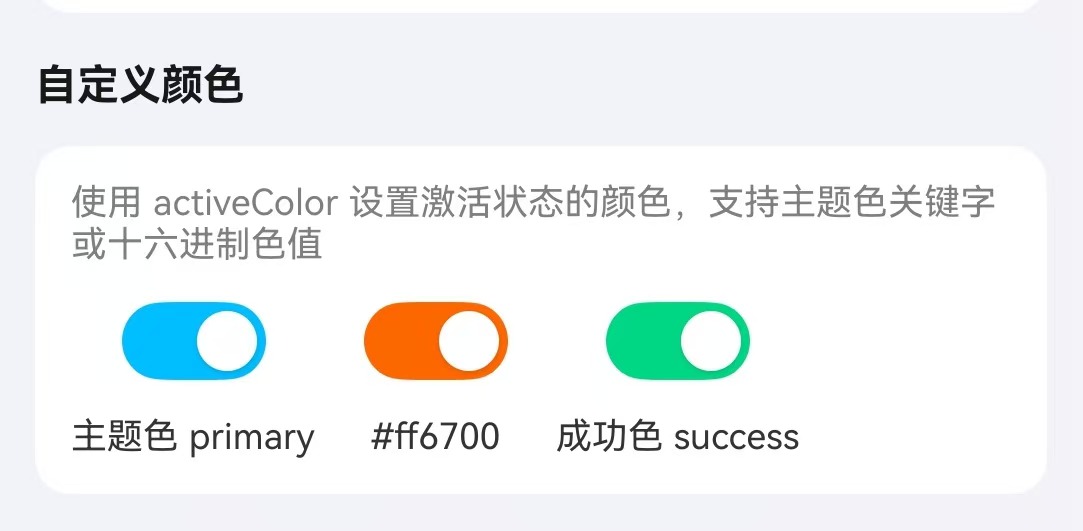
通过 activeColor 和 inactiveColor 属性自定义开关的颜色。
点我查看代码
typescript
Column({ space: 10 }) {
  TnSwitch({
    modelValue: true,
    activeColor: "primary",
  })
  TnSwitch({
    modelValue: true,
    activeColor: "#ff6700",
  })
  TnSwitch({
    modelValue: false,
    inactiveColor: "success",
  })
}
文字/图标
通过 activeText/inactiveText 设置开关内部文字,通过 activeIcon/inactiveIcon 设置开关内部图标。

点我查看代码
typescript
Column({ space: 10 }) {
  // 文字模式
  TnSwitch({
    modelValue: true,
    activeText: "开",
    inactiveText: "关",
  })
  // 图标模式
  TnSwitch({
    modelValue: true,
    activeIcon: "check",
    inactiveIcon: "close",
  })
}
形状
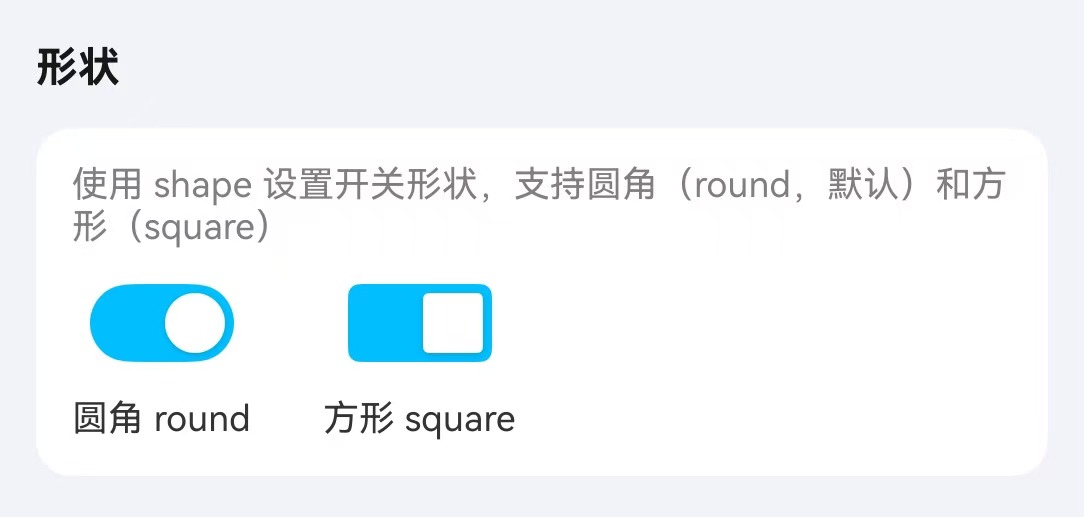
通过 shape 属性设置开关形状,可选值为 round(圆角,默认)和 square(方形)。
点我查看代码
typescript
Column({ space: 10 }) {
  TnSwitch({
    modelValue: true,
    shape: "round",
  })
  TnSwitch({
    modelValue: true,
    shape: "square",
  })
}
自定义尺寸
通过 switchSize 属性设置开关的大小,单位为 vp。设置为 0 时使用默认尺寸。
点我查看代码
typescript
Column({ space: 10 }) {
  TnSwitch({
    modelValue: true,
    switchSize: 20,
  })
  TnSwitch({
    modelValue: true,
  })
  TnSwitch({
    modelValue: true,
    switchSize: 36,
  })
}
禁用状态
通过 disabled 属性禁用开关。

点我查看代码
typescript
Column({ space: 10 }) {
  TnSwitch({
    modelValue: true,
    disabled: true,
  })
  TnSwitch({
    modelValue: false,
    disabled: true,
  })
}
加载状态
通过 loading 属性设置开关为加载状态,加载状态下开关不可操作。

点我查看代码
typescript
Column({ space: 10 }) {
  TnSwitch({
    modelValue: true,
    loading: true,
  })
  TnSwitch({
    modelValue: false,
    loading: true,
  })
}
API
Props
| 参数 | 说明 | 类型 | 默认值 |
|---|---|---|---|
| modelValue | 开关绑定值 | TnSwitchValueType | false |
| activeValue | 开启时对应的值 | TnSwitchValueType | true |
| inactiveValue | 关闭时对应的值 | TnSwitchValueType | false |
| activeColor | 开启时的背景色,支持主题色名称(如 "primary")或自定义色值 | string | - |
| inactiveColor | 关闭时的背景色 | string | - |
| activeText | 开启时的文字 | string | - |
| inactiveText | 关闭时的文字 | string | - |
| activeIcon | 开启时的图标 | string | - |
| inactiveIcon | 关闭时的图标 | string | - |
| shape | 开关形状 | "square" | "round" | "round" |
| switchSize | 开关大小,0 为自动 | number | 0 |
| disabled | 是否禁用 | boolean | false |
| loading | 是否加载中 | boolean | false |
TnSwitchValueType
typescript
type TnSwitchValueType = string | number | boolean;Events
| 事件名 | 说明 | 回调参数 |
|---|---|---|
| onChange | 开关状态变化时触发 | (value: TnSwitchValueType) => void |