
NumberBox 步进器
介绍
用于通过点击按钮或直接输入来调整数值,支持步长、范围限制、长按连续调整及自定义样式。
引入
typescript
import { TnNumberBox } from "@tuniao/tn-ui";代码演示
基础用法
通过 modelValue 属性绑定当前数值,点击加减按钮调整。
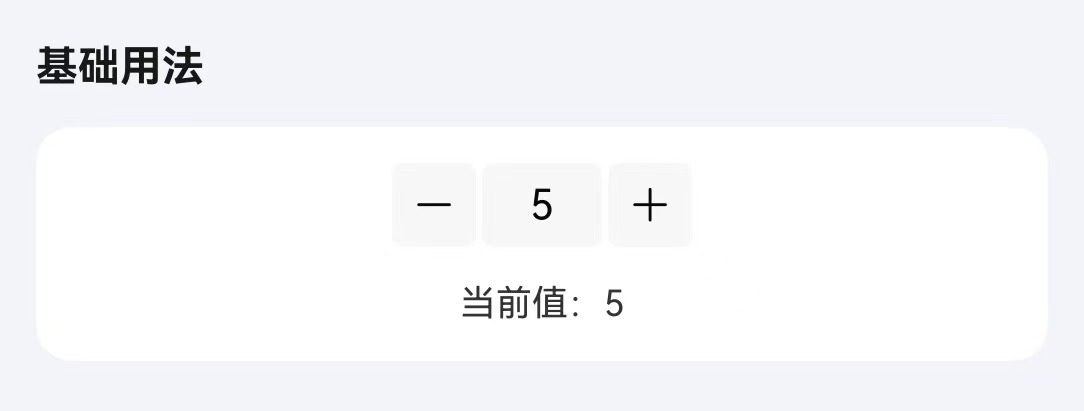
点我查看代码
typescript
@Local numberValue: number = 5;

TnNumberBox({
  modelValue: this.numberValue,
  onChange: (value: number) => {
    this.numberValue = value;
  },
})
步长 / 范围限制
通过 step 属性设置每次点击按钮时的步进值。通过 min 和 max 属性限制数值的输入范围。
点我查看代码
typescript
@Local numberValue: number = 0;

TnNumberBox({
  modelValue: this.numberValue,
  step: 5,
  min: 5,
  max: 50,
  onChange: (value: number) => {
    this.numberValue = value;
  },
})
长按连续
通过 longPress 属性开启长按连续调整,通过 longPressInterval 设置触发间隔(毫秒)。
点我查看代码
typescript
@Local numberValue: number = 0;

TnNumberBox({
  modelValue: this.numberValue,
  longPress: true,
  longPressInterval: 150,
  onChange: (value: number) => {
    this.numberValue = value;
  },
})
禁用输入
通过 inputDisabled 属性禁用中间输入框,只允许通过按钮调整数值。

点我查看代码
typescript
@Local numberValue: number = 5;

TnNumberBox({
  modelValue: this.numberValue,
  inputDisabled: true,
  onChange: (value: number) => {
    this.numberValue = value;
  },
})
自定义样式
通过 size、bgColor、textColor 属性自定义步进器的外观样式。
点我查看代码
typescript
@Local numberValue: number = 5;

Column({ space: 10 }) {
  // 自定义大小
  TnNumberBox({
    modelValue: this.numberValue,
    componentSize: 36,
    onChange: (value: number) => {
      this.numberValue = value;
    },
  })
  // 自定义颜色
  TnNumberBox({
    modelValue: this.numberValue,
    bgColor: "#01beff",
    textColor: "#FFFFFF",
    onChange: (value: number) => {
      this.numberValue = value;
    },
  })
}
禁用状态
通过 disabled 属性禁用整个步进器。
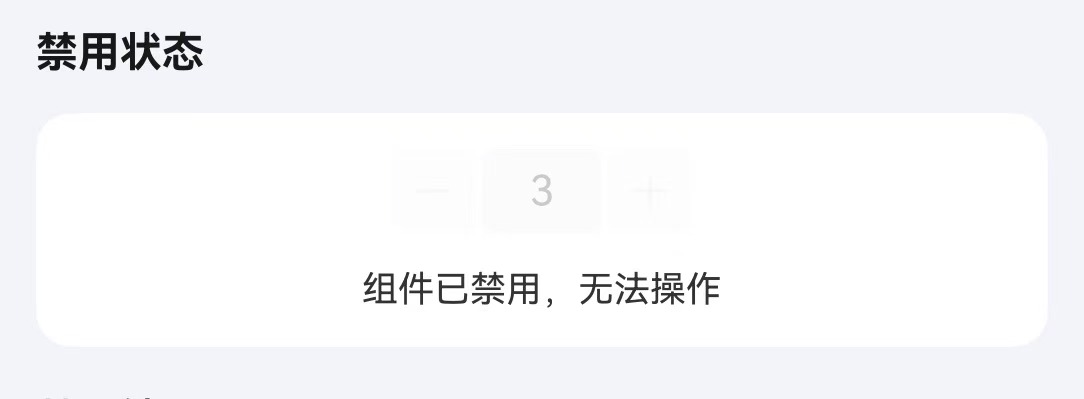
点我查看代码
typescript
TnNumberBox({
  modelValue: 3,
  disabled: true,
})
API
Props
| 参数 | 说明 | 类型 | 默认值 |
|---|---|---|---|
| modelValue | 当前数值 | number | 0 |
| min | 最小值 | number | 0 |
| max | 最大值 | number | 100 |
| step | 步长 | number | 1 |
| disabled | 是否禁用 | boolean | false |
| inputDisabled | 是否禁用输入框 | boolean | false |
| longPress | 是否开启长按连续调整 | boolean | true |
| longPressInterval | 长按触发间隔(毫秒) | number | 250 |
| componentSize | 步进器大小 | number | 0 |
| bgColor | 背景颜色 | ResourceColor | $r("app.color.tn_color_gray_light") |
| textColor | 文字颜色 | ResourceColor | $r("app.color.tn_text_color_primary") |
Events
| 事件名 | 说明 | 回调参数 |
|---|---|---|
| onChange | 数值变化时触发 | (value: number) => void |